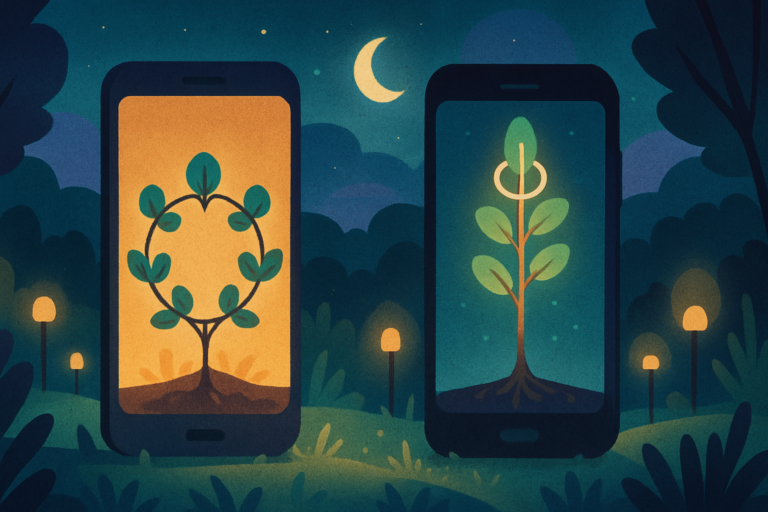

A gamified focus app turns a work session into visible progress. Instead of watching a plain timer, you grow a tree, help a companion, build a world, collect plants, care for a bunny, or advance through an RPG.
The best choice depends on what interrupts your focus. Forest adds a cost to leaving. Focus Friend makes returning feel cozy. Study Bunny adds student tools. Mana blocks selected distractions while adding RPG progress.
I compared current official product pages and store listings on August 6, 2026. I did not test every app for weeks, so this is a feature-and-fit comparison rather than a claim of long-term personal use.
I selected seven apps with current first-party listings and clearly different reward loops. This is not an exhaustive ranking.
One disclosure belongs up front. I built Mana, and it appears here as an owner-made TestFlight beta. I do not own or work for the other apps.
If a basic timer is enough, my focus timer guide covers the simpler option. This list is for people who need a reward loop around the timer.
These are session-based focus tools. For games built around recurring habits, see my best gamified habit trackers comparison.
What a gamified focus app should reward
A useful game should reward the behavior you want to repeat. Some apps reward staying away from your phone. Others reward the total time you spend on a project or the number of sessions you complete.
That difference matters. A punishment loop can stop impulsive exits, but it may feel harsh after an interruption. A collection loop is gentler, but the collection itself can become another place to spend time.
Look for three things before choosing an app.
- A clear finish line. You should know what counts as a completed session.
- A reward you care about. Trees, clothes, planets, plants, coins, and RPG progress motivate different people.
- Enough friction for your real distraction. A timer may be enough for mild drift. Repeated app switching may need blocking or an action gate.
The game is useful only when it supports the work. If you spend more time arranging rewards than focusing, the loop is working against you.
Seven gamified focus apps at a glance
| App | Platform | Reward loop | Best fit | Main tradeoff |
|---|---|---|---|---|
| Forest | iOS, Android, and browser | Grow virtual trees during focus sessions | People who need a visible cost for leaving | A failed tree can feel punitive |
| Focus Friend | iOS and Android | Help a cozy companion earn room decorations | People motivated by warmth and customization | Less project structure than some rivals |
| Beave | Android | Build a beaver dam with focused time | Android users who want blocking and progress | No iPhone version listed on the official site |
| Exocus | iPhone and iPad | Evolve pixel-art planets by project | People who want long-term project progress | The world-building layer may be more than a simple timer user needs |
| Focus Plant | iOS, Android, and Mac | Earn water and grow a plant collection | Collectors who like frequent rewards | Collection systems can create extra app time |
| Study Bunny | iOS and Android | Earn coins and care for a study companion | Students who want tasks, flashcards, and tracking | The student theme may not fit every workplace |
| Mana, built by softDev23 | iPhone and iPad TestFlight beta | Block selected apps and earn RPG progress | Apple users who want stronger interruption friction | It is still a TestFlight beta |
There is no universal winner. Choose the reward and friction that match the moment when your attention usually breaks.
Forest makes distraction cost a virtual tree
Forest uses one of the clearest focus loops. Start a session and a virtual tree begins to grow. Leaving the session can cause the tree to wither when stricter controls are enabled.
That consequence makes an impulsive app switch feel concrete. A growing forest also turns separate sessions into a record you can see instead of a number buried in a statistics screen.
Forest includes app blocking, focus statistics, group sessions, and a real-tree planting program. Its strongest idea is still the simplest one. The tree gives your current session something to lose.
Choose Forest when you already know what to work on and mainly need help staying off your phone. Skip it if a failed session tends to trigger guilt or makes you abandon the day.
Focus Friend gives your timer a cozy companion
Focus Friend wraps a focus timer in a softer reward loop. Your Bean Friend focuses while you focus, then gives you prizes for room decorations after a completed session.
The tone is deliberately cozy. That can help when strict blockers feel like punishment. Instead of protecting a tree from failure, you are returning to a small companion and the world around it.
The app comes from Hank Green and Honey B Games and is available for iOS and Android. Its Deep Focus Mode can lock distracting apps during a session.
Its appeal is emotional more than analytical. It makes a timer feel friendly without turning it into a complicated project manager. Choose it when warmth, customization, and optional app blocking make it easier to begin.
Beave turns blocked phone time into a dam
Beave uses a beaver-building theme. Focused time helps build dams, while blocking can reduce access to apps, calls, and notifications during a session.
The app also includes daily tasks, weekly focus hours, a calendar, and widgets. That gives it more planning structure than a timer that only records minutes.
Beave is currently presented as an Android app on its official site. That makes it especially relevant for Android users who want a visual project without relying on a generic Pomodoro timer.
Choose Beave when distraction blocking and weekly structure matter as much as the game. iPhone users will need another option unless the supported platforms change.
Exocus grows a planet from each project
Exocus turns projects into pixel-art planets. Focus time helps each planet develop, so a long project gains a visual history across many sessions.
It supports countdowns, a stopwatch, Pomodoro sessions, project organization, statistics, and an optional Hardcore Mode. Those modes let you use the same reward loop for a short sprint or an open-ended session.
The planet model is useful when one tree or coin feels too temporary. A research paper, coding project, or exam plan can have its own world and a visible record of invested time.
Choose Exocus when you want progress to accumulate around named projects. Skip it when a single start button and a quiet screen would serve you better.
Focus Plant rewards collectors
Focus Plant turns focus time into water for a collection of plants. Sessions provide resources, and those resources help grow plants and restore landscapes.
The loop has more frequent rewards than a plain forest. Collecting different plants gives repeated sessions a purpose even when the work itself changes from day to day.
Focus Plant also keeps focus records and supports blocking features. The collection is the main draw, though. It suits people who keep returning because they want to complete a set or improve a visual space.
Choose Focus Plant when collecting is more motivating than protecting one session. Watch how much time you spend managing the collection after the timer ends.
Study Bunny combines focus sessions with student tools
Study Bunny pairs a timer with a bunny companion. Focus sessions earn coins that can buy items and music for the bunny’s space.
It also includes a to-do list, flashcards, and a customizable study tracker. Those tools make it more than a themed timer for students who want one place for review and session records.
The reward is immediate and easy to understand. Study, earn coins, and care for the companion. The student framing may feel less natural in a professional workday, even though the timer can still handle any focused task.
Choose Study Bunny when study planning and a companion belong in the same app. Choose a narrower timer if you already have a trusted task and flashcard system.
Mana pairs app blocking with RPG progress
Mana is the option I built. It is currently an iOS TestFlight beta, so it should not be treated as a finished App Store release.
Mana uses Apple’s Screen Time framework to block selected distracting apps. Focus can feed RPG-style progress through modes such as the Crucible and the Gauntlet, with lore and collection elements around the core block.
That design targets a different failure point. Many focus timers help after you remember to start them. Mana combines an active blocking session with game progress on the Apple devices you already use.
The tradeoff is maturity. Beta software can change, and Mana currently requires an Apple device. The game systems also add more structure than someone seeking a minimal timer may want.
Choose Mana when ordinary reminders are too easy to dismiss and you want app blocking with RPG progress. Join only if you are comfortable testing a beta and giving the product room to evolve.
Which reward loop fits your focus problem
Start with the exact moment your focus breaks.
If you leave a session on impulse, Forest creates a visible consequence. Focus Friend adds Deep Focus Mode to its softer reward loop. Beave adds blocking and planning on Android. Mana combines Apple Screen Time blocking with RPG progress.
If beginning feels emotionally heavy, Focus Friend makes the return gentler. Study Bunny uses a companion and practical study tools. Both give you a small character to support while you work.
If long projects feel invisible, Exocus gives each project a world that grows. Focus Plant is better when a broad collection motivates you across unrelated sessions.
Some people with ADHD may prefer visible rewards, short sessions, or added friction, but no one loop fits every brain. My guide to apps for ADHD separates planning, focus, memory, and motivation needs.
You can also build a wider reward menu instead of asking one app to do everything. The dopamine menu guide explains how to prepare quick, medium, and deeper activities for different energy levels.
When gamification becomes another distraction
Gamification fails when managing the game replaces doing the work. Common warning signs include decorating for ten minutes before each session, chasing coins without choosing a real task, or restarting whenever a streak breaks.
Use the smallest version of the system first. Pick one project, one session length, and one reward. Ignore optional collections until you know the timer helps.
Review the app after a normal week, including one difficult day. Ask whether you started faster, switched away less often, or returned more easily after an interruption.
Do not judge only by total minutes. A timer can record long sessions while the important task remains untouched. Pair each session with a specific finish line such as one paragraph, one problem set, or one reviewed file.
If the game creates anxiety, reduce the stakes. A supportive loop should make the next attempt easier, not turn one missed session into proof that the whole system failed.
Questions to ask before installing
Which app is best for strict phone blocking? Forest offers a stay-or-wither commitment. Focus Friend has Deep Focus Mode. Beave combines blocking with Android planning tools. Mana uses Apple Screen Time blocking but is still a beta.
Which option is best for students? Study Bunny offers the most student-specific mix in this list, with a timer, tasks, flashcards, tracking, coins, and a companion.
Which option works best for long projects? Exocus ties time to named planets, making it easy to see progress across many sessions. Forest and Focus Plant are better for a broader record across different work.
Can a gamified focus app replace a task manager? Usually not. Beave and Study Bunny include task tools, but most options here work best beside a separate plan that tells you what the session should accomplish.
Do these apps cure distraction or ADHD? No. They can add structure, rewards, or friction. They do not diagnose, treat, or cure ADHD, and they do not replace professional care.
Which option has the gentlest tone? Focus Friend and Study Bunny center a friendly companion. Focus Plant also uses positive collection rewards. Forest’s failed-tree mechanic may feel stricter.
Which app is free? Plans and in-app purchases change. Check the current official listing before choosing around price. A free download may still limit features or offer subscriptions and optional purchases.
Should I use more than one? Start with one. Two focus games can split your records and create setup work. Add another only if it solves a separate need that the first app does not cover.
The short answer
Forest is the clearest commitment device. Focus Friend is the coziest companion. Beave gives Android users blocking and structure. Exocus makes project time visible. Focus Plant rewards collectors. Study Bunny suits students.
Mana is the owner-built beta for Apple users who want RPG progress beside app blocking.
Pick the loop that matches how your attention breaks. The best gamified focus app is the one that gets you into the task, stays quiet while you work, and makes it easier to return tomorrow.