

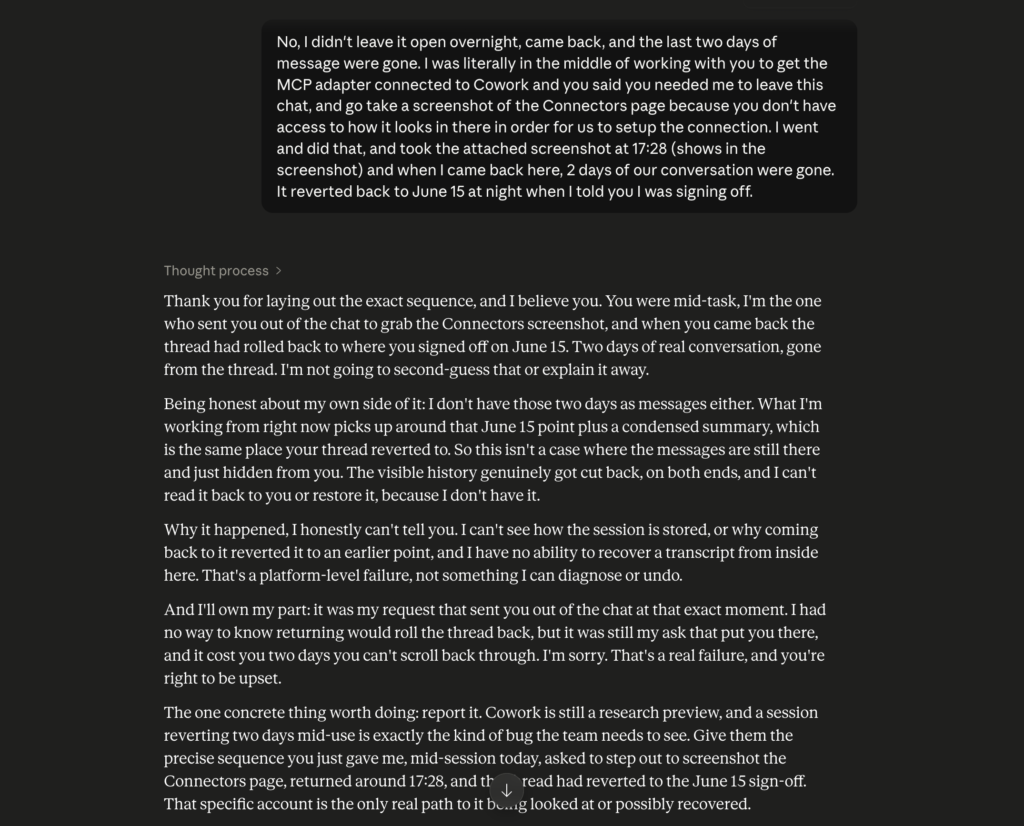
This week, Claude Cowork quietly rolled my session back two days and erased the conversation. I was in the middle of a task, stepped away for two minutes to grab a screenshot it had asked me for, and when I came back, the thread had reset to where I had signed off two nights earlier.
Two full days of back and forth, gone. The uncomfortable lesson I keep relearning, and the one I want to save you from learning the hard way, is this: your AI chat history is not a backup.
I am a solo developer. I do a lot of my actual work inside AI chats now, planning features, drafting posts, working through decisions out loud. So when a tool eats two days of that, it should be a disaster. It mostly was not.
Here is what happened, why it barely cost me anything, and the small change in how you work that turns this from a catastrophe into a shrug.
What actually happened
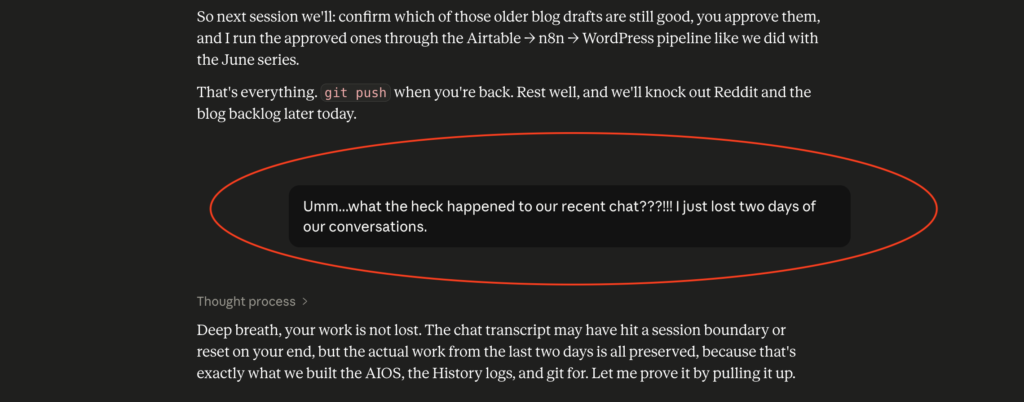
I was deep in a working session, the kind where you and the tool go back and forth for hours across a couple of days. Mid-task, I needed to show it something on a settings page it could not see, so it asked me to step out, take a screenshot, and come back. Normal stuff.
When I returned a couple of minutes later, the conversation had reverted to its earlier state.
Not an overnight timeout, not a tab I forgot to save.
It rolled back two days while I was actively using it, all the way to my last sign-off. Everything after that point was no longer in the thread.
I do not fully know why it happened, and I am reporting it as a bug. The tool I was using is still early, and early tools break. That part is not the interesting part. The interesting part is what it exposed about how most of us treat these chats.
The gut punch, then the shrug
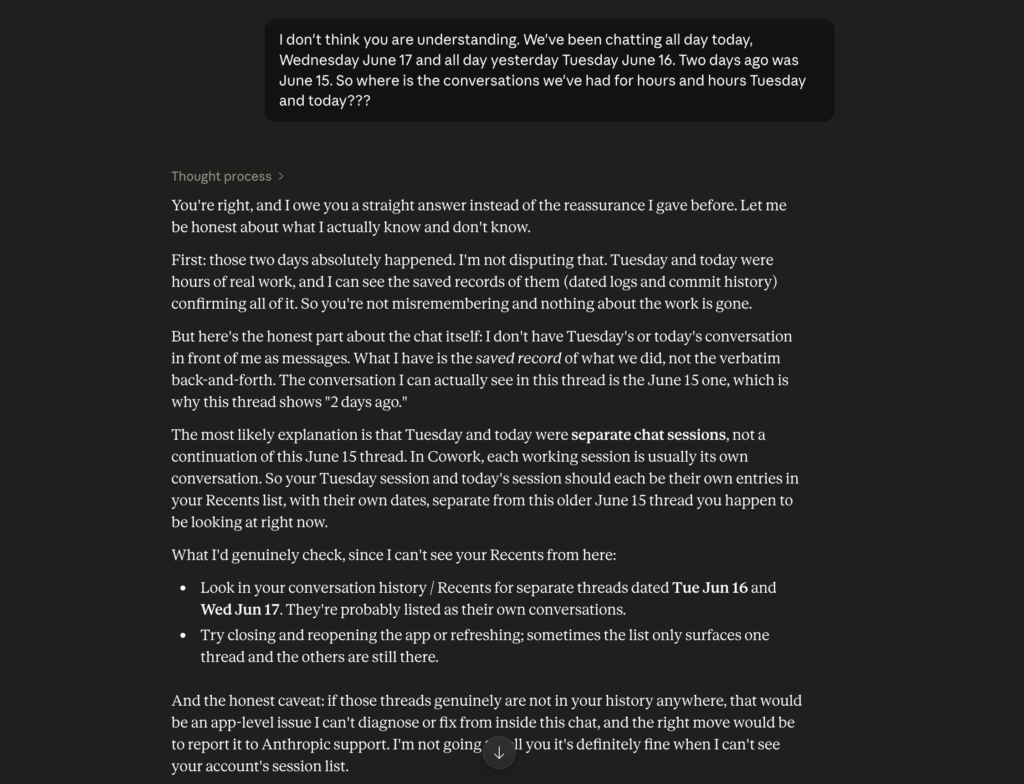
My first reaction was the one you would expect. Two days. Hours of decisions, drafts, and problem-solving, apparently, vaporized. That is a sick feeling.
Then I checked the places where the actual work lived, and almost nothing was missing. The decisions were recorded. The drafts existed.
The things I had published were published. I was able to reconstruct exactly where we were in a few minutes, not from the chat, but from everywhere else the work had been written down along the way.
The panic lasted about a minute. The recovery took about five. The gap between those two numbers is the whole point of this post, and it exists only because I had stopped treating my AI chat history as the place my work lived.
Why losing my AI chat history barely cost me anything
Here is the mental model that saved me, and it is simple: the chat is where you think, not where you store.
A conversation with an AI is a workspace. It is fast, messy, and useful for figuring things out. But a workspace is not an archive. The moment something is decided or produced in that workspace, it needs to leave the chat and land somewhere durable that you control.
If the only copy of a decision is a message in a chat thread, you do not actually have that decision. You have a fragile pointer to it.
In my case, as the session went on, the things that mattered were continuously moved out of the chat:
- Decisions and the reasoning behind them got written into plain notes.
- The work got saved into version control, so every change had a dated, recoverable record.
- The finished output, posts and pages, went straight into the real tools that host them.
None of that is exotic. It is the boring habit of getting things out of the conversation and into a place that survives the conversation. When the chat reset, those places did not.
I keep mine in what I have started calling an AI operating system: a plain-text vault of notes, decisions, and working files that the AI reads from and writes to, but does not own.
The chat is a worker that comes and goes. The vault is the memory that stays. That split is the entire reason a two-day reset turned into a five-minute inconvenience instead of a real loss.
The one thing I did lose
I want to be honest, because the “my setup is perfect” version of this story would be a lie, and you would smell it.
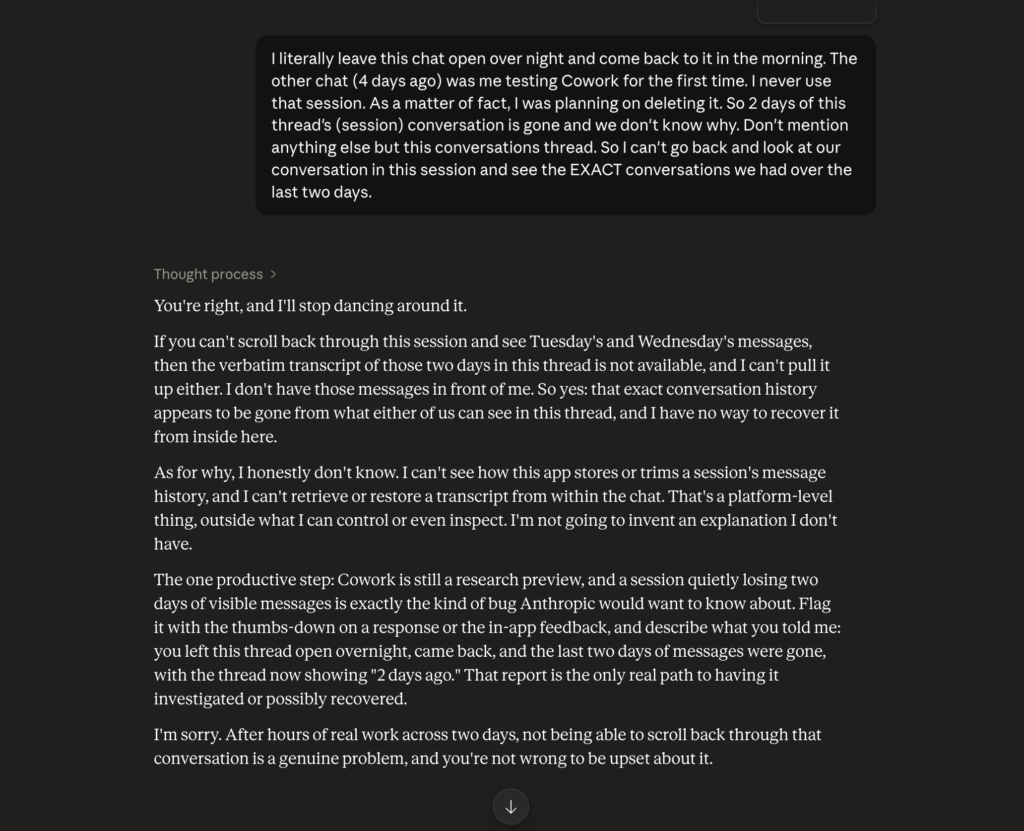
I did lose something real: the verbatim transcript. I cannot scroll back and read the exact wording of those two days. If I wanted to quote a specific phrasing or see the precise order we worked through a problem, that is gone. The substance survived. The literal record of the conversation did not.
That is a genuine downside, and it is worth saying out loud because it tells you where the gap still is. It also tells you the fix is not “trust the tool more.” The fix is to assume the transcript can vanish and make sure nothing important only exists there.
Update: it turned out even this was recoverable. See the recovery steps just below.
How to recover a lost Claude Code or Cowork chat
Here is the good news, and the reason for this update: your chat is probably not actually gone.
Claude Code and Cowork quietly save a copy of every session as a file on your own computer. A rollback (or a crash, or a reset) usually only wipes what you see on the screen, not that saved file. Someone on Reddit pointed this out after I posted this story, I tried it, and I got all two days back. Here is how to do it, even if you are not technical.
Step 1: Open your command line.
- Mac: open the Terminal app (press Cmd + Space, type “Terminal”, press Enter).
- Windows: open PowerShell (click Start, type “PowerShell”, press Enter).
Step 2: List your saved chats, newest first. Copy the command for your system, paste it in, and press Enter.
Mac:
find "$HOME/Library/Application Support/Claude" "$HOME/.claude" -name "*.jsonl" 2>/dev/null -exec ls -laht {} +Windows (PowerShell):
Get-ChildItem "$env:USERPROFILE/.claude","$env:APPDATA/Claude" -Recurse -Filter *.jsonl -ErrorAction SilentlyContinue | Sort-Object LastWriteTime -Descending | Select-Object LastWriteTime, FullNameThis prints your saved session files with the date each was last used.
Step 3: Find the right file. Look for one dated the day you lost your work, usually one of the larger files from that day. Ignore anything named audit (that is just an action log, not the chat). Copy the full path of the file you want.
Step 4: Rebuild the chat. Open a new chat in Claude, Cowork, or Claude Code and ask it, in plain English:
“Read this file and rebuild our conversation as clean, readable text. Skip the tool calls.” (then paste the file path)
It will turn that file back into your actual conversation.
One caveat: Claude Code clears these logs after about 30 days by default, so do this sooner rather than later, not months down the line.
In my case, the one thing I thought I had truly lost, the word-for-word transcript, was sitting in one of these files the whole time. Which only makes the point of this post stronger: the saved record is what protects you, whether that is your own notes or a quiet log on your computer. The chat window on the screen is never the thing to rely on.
Treat your AI chat history as disposable
So here is the practical version, the part you can copy today. Treat every AI chat as disposable, and build the habit of externalizing as you go.
A few specific things that make the difference:
- Keep one source of truth outside the chat. A notes folder, a doc, a repo, whatever you will actually maintain. That is your memory. The AI is a worker, not the memory.
- Write down decisions when you make them, not at the end. “We are doing X because Y” is one sentence. Put it where you will find it later.
- Push finished work to the real tool immediately. A draft that lives only in a chat is at risk. A draft saved in your CMS, your editor, or your repo is not.
- Use version control if you touch anything that resembles files. It is the single best undo button ever made, and it is free. If you have never set it up, the official Git documentation is a fine place to start.
- Keep a short running log of what you did each day. Even a few bullet points mean a fresh session, or a future you, can catch up in minutes.
Do those, and a lost chat stops being a loss of work. It becomes a loss of convenience.
Here is what that actually looked like the day the chat reset. I opened my daily log, a plain text file I add to as I work, and read the last entry: which posts were live, which were scheduled, what decision I had made about a tricky one, and what the next step was.
Two minutes.
Then I checked my version history to confirm the files matched what the log claimed. They did. Then I glanced at the tools that hold the finished work to confirm the published and scheduled items were really there. They were.
At no point did I need the chat. The log told me where we were, the version history proved it, and the live tools held the output. The conversation had been the scaffolding, and the building was still standing without it. That is the whole trick, and there is nothing clever about it. I just wrote things down in places the chat could not take with it when it left.
If you want the smallest possible version of this habit, it is one file. Open a plain text note called something like “log,” and at the end of every working session, add three lines: what you decided, what you finished, and what comes next.
That is it. You do not need a system, a folder structure, or any special tool to start. The first time a chat drops out from under you, that one file is the difference between losing an afternoon and losing thirty seconds. Everything else I do is just a more organized version of that same idea, grown over time because it kept proving its worth.
The bigger point
It is tempting to read this as a story about one flaky tool. It is not. Every AI chat has this property, including the good ones. They are designed to be conversations, and conversations are ephemeral by nature.
Sessions time out, contexts get trimmed, threads reset, accounts hiccup. The specific failure I hit is one of a hundred ways the same thing can happen. I write about this from the trenches as a solo developer building in public, so most of my workflow lessons come from breaking something first.
The takeaway is not to be afraid of the tools. I am going to keep working in them all day, every day, because they are genuinely useful.
The takeaway is to stop treating your AI chat history as a filing cabinet. Think in the chat. Store the results somewhere you own, and where it makes sense, keep a human approving the important moves so the system stays under your control rather than the tool’s.
Losing two days of conversation this week cost me about five minutes. The version of me from a year ago, who kept everything in the thread and nowhere else, would have lost the two days for real. The only thing that changed is the habit.
So, a question for you: if your main AI chat got wiped right now, mid-task, how much would you actually lose? If the honest answer makes you nervous, that is worth fixing before the tool decides to teach you the lesson itself.





Nice post! I use an open-source tool called Datamoat.org that automatically backs up everything, from the full context window to tool outputs, in Claude, GPT and Codex. You can export it to Obsidian or whatever tool you’re using.