

What is Claude Cowork? It is Anthropic’s mode for tasks such as research, drafting and file management. You give it an outcome, access to the materials it needs, and a place to deliver the result.
A useful way to judge it is by the handoff. Can it turn a folder of notes into a report you can check, or does the task still need you to copy results between tools?
I used Cowork while building softDev23’s file-based workflow. I no longer use it day to day. The examples below describe that earlier setup. The product details were checked against Anthropic’s documentation on September 5, 2026.
No hype. Just what it does, where it helps, and where you still have to stay in the loop.
What is Claude Cowork in plain terms
Cowork lets Claude plan and carry out a task across the files and tools you allow it to use. A brief such as ‘combine these research notes into a report with source links’ gives it both an outcome and something you can check.
Anthropic’s Cowork overview describes work such as research, document preparation and file management. The useful question is how much of the task it can complete with the access you give it.
Anthropic’s current cross-device guide describes cloud sessions, in beta, that run on its servers. Your session and files are saved to your Claude account. Cowork is not an offline or local-only AI system.
For access to folders on your computer, start the session on desktop and keep the desktop app open. Cowork can reach the folders you have connected, subject to the permissions you set.
A finished file still needs a human check. Review the sources, calculations and changes before you use it.
How Cowork is different from the normal Claude chat
Cowork is designed around delegating a task and monitoring its progress. The distinction from chat is how you hand off the work and what access the session has.
Regular Claude chat can already create and edit downloadable files, including Word documents, spreadsheets and presentations. You do not have to copy every answer into another app yourself.
For a Cowork task involving local folders, the desktop connection can save repeated uploads and downloads. For a report based only on files you upload, regular chat may already do enough.
Cowork applies agent-style workflows to research, documents, files and other knowledge work. You can hand over a task without starting in a terminal.
Choose between chat and Cowork by the access and workflow the task needs. Both can produce files. Cowork is built for a longer task you delegate and review.
File access and lasting memory solve different problems. My AI memory comparison explains what ChatGPT, Claude, and Gemini carry between conversations.
How to use Claude Cowork day to day
The basic way to use Claude Cowork is to give it a clear goal and the access it needs, then review what it produces. You are delegating, so the better your brief, the better the result.
Start with the outcome, the source files and the output location. If the task needs a folder on your computer, connect it through desktop. Give access only to the apps the task needs, then check the result.
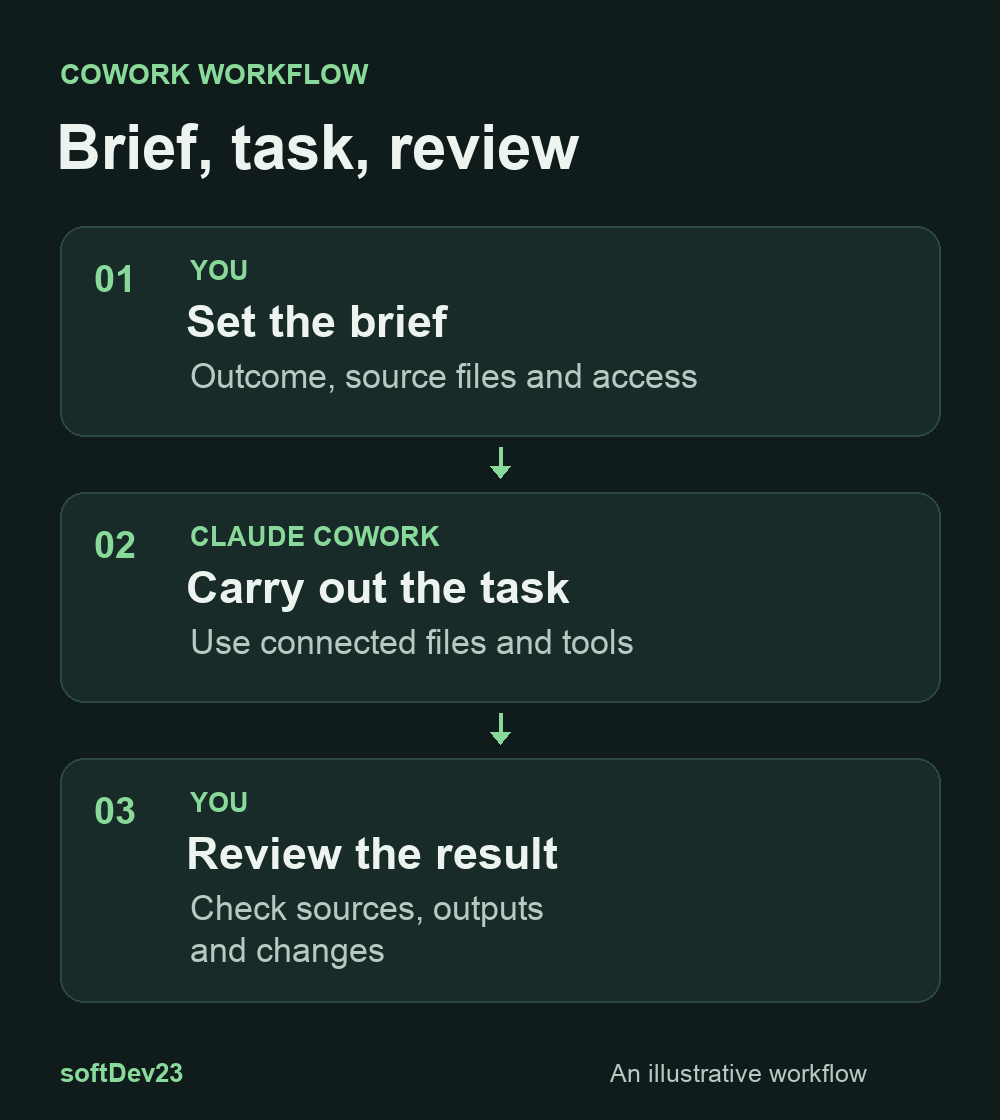
The mindset shift matters more than any button. Stop thinking “what do I ask?” and start thinking “what task do I want done?” A good Cowork request reads like instructions you would give a capable assistant, not a search query.
Connectors give the session access to supported apps, subject to the permissions you set. A connector’s available actions determine what Cowork can read or change.
Check Cowork permission settings before a task. Manual, Auto and Skip modes handle connector approvals differently. Do not assume every important action will pause for confirmation.
Anthropic documents an explicit approval step for permanent file deletion. That does not cover every connected-app action, so review the access you grant and check changes made outside the session.
How I used Cowork in softDev23
I used Cowork for multi-step work such as drafting from notes. That example explains why the workflow appealed to me at the time. It describes a past setup, not what I run today.
For content drafts, I gave it access to notes and instructions in my Obsidian vault. That let it work from the context I had already written down.
The same setup could help with file and folder work, such as combining notes into a document or sorting a folder. Those jobs still need a check of the sources and any files changed.
The durable part of that setup is the vault. In my agentic operating system, notes are the source of truth that tools can read. Cowork was one way I worked with those files. The files do not depend on that tool.
I reviewed the output before using it. A report could read well and still miss a source or misunderstand a note. Keeping that review step was part of the workflow.
Where Cowork fits with connectors and skills
Connectors and skills serve different purposes. Connectors expose specific tools or data. Skills describe how to approach a repeatable task.
A connector can make an app’s data or actions available to the session. My MCP server list covers examples from this ecosystem. It should not be read as an inventory of tools I currently run.
Skills are the other half. They are reusable instructions that tell Cowork how to do a specific kind of task the way you want it done. Once you write a skill, you can trigger that same workflow again without re-explaining it every time.
Use a skill to specify such things as the source format, review checklist and output structure. Connect only the tools that task needs.
Setup does not remove the need to review outputs. A repeatable instruction can still produce a wrong result when the source material changes.
Cowork vs Claude Code, in case you are deciding
Cowork and Claude Code overlap, but their main interfaces serve different workflows. Compare what each can reach and how you prefer to review changes.
Claude Code is built for coding tasks such as working through a codebase and running commands. It also has a native VS Code interface, so describing it as terminal-only is out of date.
Cowork centers on delegating tasks involving documents, research, files and connected apps. You can review its progress and deliverables without starting from a code editor.
For a codebase, compare the coding workflow and change review. For a document task, compare file access and the review steps you need. Those practical differences matter more than a code-versus-everything-else slogan.
There is overlap. Cowork can use code to prepare a document, and Claude Code can edit text files. Choose by the task, the required access and the way you want to inspect the output.
Who Cowork is actually for
You do not need to be a developer to use Cowork. It is aimed at knowledge work with several steps, source materials and a deliverable you can inspect.
If your day involves documents, data, research, and files, you are the target user. Pulling facts together, drafting and formatting documents, organizing information, and repeating multi-step processes are exactly the jobs it takes on.
For a quick question, start with chat. Move to Cowork when you need a task to continue across several steps and connected materials.
As a solo developer, I judge a tool by the work it saves after review. A polished output is not enough if checking it takes longer than doing the task myself.
A useful test is one bounded task with clear inputs and a result you can verify. You can decide whether it earns a place in your workflow from that result.
The honest summary
So, what is Claude Cowork? It is Anthropic’s mode for delegating multi-step work with access to the files and tools you connect. You still need to review the work and understand the permissions in use.
Cowork is available on paid Claude plans. Anthropic’s guide covers desktop, web and mobile. Web and mobile are in beta, with Enterprise access controlled by admins. Check the availability guide for current access details.
The question is whether Cowork’s task workflow and access fit the job you want to hand off. A downloadable file alone is not what distinguishes it from chat.
If you have repeatable, multi-step work you keep doing by hand, that is where to point it first. Set up one real task, review the output closely, and decide from there whether it earns a place in how you work.