
The best apps for ADHD solve different problems, and any list that pretends one tool fits everyone is selling you something. The right app depends on whether you are fighting starting, focus, memory, time, or motivation.
So instead of ranking apps from 1 to 10, I have sorted the best apps for ADHD by the problems they actually solve. Find the struggle that sounds most like your week, and start there.
Full disclosure before we go: I built two of the apps on this list, Mana and Habitual. I have tried hard to be fair, and I will point you to other apps over mine wherever they fit you better. They are here because I genuinely live in this category as a solo developer who needs these tools to work, not because I am trying to sell you anything.
Best apps for ADHD when strict habit trackers make you feel worse
Most habit trackers run on streaks, and streaks punish the exact thing ADHD brains struggle with most: consistency. Miss one day, watch the number reset to zero, feel like a failure, quit. For a lot of us, that is not motivating; it is just one more thing to fail at.
Finch takes the opposite approach. It is a self-care app built around a small bird that grows as you complete tiny daily actions. The whole tone is gentle encouragement rather than pressure, which makes it a soft landing if productivity apps usually overwhelm you.
If your choice has narrowed to pet-based motivation, my Finch vs Habitica comparison separates gentle self-care from deeper RPG task management.
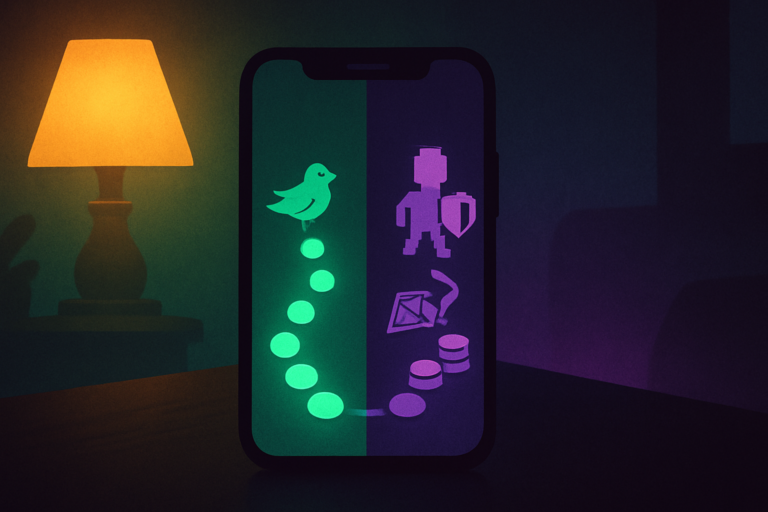
Habitual is mine, so take this with the appropriate salt. I built it around a journey instead of a streak, specifically because the streak-and-guilt model burned me out. There is no counter waiting to shame you for missing a day. You just keep moving along the path. If the idea of “do not break the chain” fills you with dread, that is exactly who it is for. If you want the longer version of why, I wrote about why standard habit trackers fail.
And on the days the real blocker is a head too full to start anything, an ADHD brain dump clears the clutter before any app can help.
If you cannot focus once you start: Forest or Mana
Forest is the famous one. You plant a virtual tree when you start a focus session, and if you leave the app, the tree dies. It works through loss aversion; the fear of killing your little tree keeps you on task. Plenty of people love it. Some of us find the punishment angle stressful rather than motivating, which is worth knowing about yourself before you commit.
Mana is my focus app, and I built it on the opposite instinct: reward you for focusing instead of punishing you for stopping. The session gives you something for showing up, not a dead tree for being human. It is in public beta right now, so it is still rough in places, but the core idea is the part I care about. If loss aversion has never worked for you, the reward-first version might.
If gamifying everything is what gets you going: Habitica
Habitica turns your entire life into a retro role-playing game. Tasks and habits earn experience points and gold, you level up a character, you can join a party with friends, and skipping your real-life chores can actually hurt your in-game avatar. If game mechanics are what reliably create dopamine for you, this is the most committed version of that idea, and it has the deepest system to back it up. If that style works for you, I have rounded up more of the best gamified habit trackers too.
If you cannot feel time passing: Tiimo
Time blindness is one of the least talked about and most disabling parts of ADHD. Tiimo is built specifically for neurodivergent brains around this exact problem. It turns your day into a visual, icon-based timeline so that time stops being an abstract number and becomes something you can actually see. If you are constantly shocked that three hours have just vanished, a visual planner like this can make the day feel concrete rather than slippery.
If you freeze with too many tasks: Llama Life
When everything feels equally urgent, picking one thing is the hardest part. Llama Life is built around timeboxing: you load your tasks, give each one a timer, and it walks you through them a single task at a time. The constraint is the feature. Instead of staring at a list of twelve things, you are doing one thing with a clock running, which is a much smaller ask for a stuck brain.
If you want to understand your ADHD, not just manage it: Inflow
Most apps hand you tools. Inflow is built explicitly for ADHD and adds an educational layer on top, with CBT-based lessons, a community, and task-management tools. It is less “here is a timer” and more “here is how your brain works and what to do about it.” If you are newly diagnosed or just tired of fighting yourself without understanding why, the learning angle is genuinely useful.
How to actually choose
Here is the trap I have fallen into: downloading all seven of these in one motivated afternoon is itself a form of avoidance. A folder full of ADHD apps you opened once is not a system; it is just more guilt.
So do the opposite. Pick the single thing you struggled with most this past week: starting, focus, time, motivation, or choosing. Download the one app for that one problem. Give it a real, boring week before you judge it. If it sticks, great. If it does not, you have learned something specific rather than vaguely feeling that nothing works.
If the app never gets opened because mornings themselves are the wall, that is a routine problem before it is an app problem, and I wrote up an ADHD morning routine built for exactly that.
And if the thing you fight most is simply starting, an app may not be the first move. A dopamine menu pairs well with any of these for the days when getting going at all is the problem. You can put one together in a couple of minutes with my free dopamine menu builder.
If you want a ready-made stack of options for that menu, I collected a big set of dopamine menu ideas to pull from.
The longer I build these tools, the more convinced I am that the ones that help are the low-friction ones that meet you on your worst day, not the feature-packed ones that demand discipline you do not have in the moment. The best app for ADHD is not the most powerful one. It is the one you will actually open when you are at your lowest, and that is a different question entirely.