
The indie iOS developer tools I actually use every day are mostly boring, and that is the point. There is no secret stack that makes shipping easy. There is a small set of tools I keep coming back to because they reduce friction, and a much longer list of tools I tried once and dropped because they added more work than they saved. This is the honest version of my setup under softDev23, not the aspirational one.
I am still early in iOS development, so this is not a list curated by someone who has optimized everything over a decade. It is the working set of a solo developer who is trying to ship apps without drowning in tooling. If you are starting out, the useful lesson is probably not which specific tools I use. It is how few of them there are.
→RelatedHow I Use AI to Write SwiftUI Code Faster Without Losing ControlXcode is non-negotiable, and that is fine
Xcode is the center of everything, and there is no real way around it for iOS development. You can have opinions about Xcode, and most developers do, but it is where the actual app gets built, run, and submitted. So rather than fighting it, I spend a little time learning to use it better instead of looking for an escape hatch that does not exist.
The practical advice here is to learn the parts of Xcode you touch every day and ignore the rest until you need it. The simulator, the build and run loop, the debugger, and the basics of the project settings cover most of what I do. The signing and capabilities section matters at submission time. Everything else I learn when a specific task forces me to.
I mention this first because new developers sometimes spend energy looking for tools to avoid Xcode. That energy is better spent getting comfortable inside it, because it is one of the indie iOS developer tools you genuinely cannot replace.
Obsidian holds everything that is not code
Obsidian is where I keep all the thinking, planning, and reference material that does not belong in the codebase. App ideas, notes on what I am building, decisions I have made, and the systems I use to stay organized all live there as plain Markdown files. It is the source of truth for the business side of softDev23, separate from the code itself.
The reason it works for me is that it is just files. There is no lock-in, no proprietary format I have to worry about, and no dependence on one company staying alive. If I want my notes somewhere else, they are already plain text. For a solo developer who is trying to build something durable, that durability matters more than fancy features.
I use it to avoid the very common solo-developer failure of keeping everything important in your head or scattered across chat apps and sticky notes. When a project spans weeks, and you are the only person on it, the notes are what let you pick up where you left off instead of re-deciding everything every time you sit down.
AI assistants are part of the daily loop now
AI assistants are part of how I work every day, both for writing code and for thinking through problems. I use them to draft SwiftUI, to explain things I do not understand yet, to review my reasoning, and to help with the writing and planning side of the business. They are not a replacement for understanding the work, but they speed up almost every part of it.
The honest caveat is that AI is most useful when you stay in control of it. I read what it produces, I question what I do not understand, and I do not let it make decisions I cannot evaluate. Used that way, it is one of the most useful indie iOS developer tools available right now, especially for someone learning, because it shortens the loop between not knowing something and understanding it.
Used the lazy way, it produces code and content you cannot maintain. So I treat it as a fast collaborator that needs review, not as an oracle. That distinction is the whole difference between AI helping and AI quietly creating future problems.
Git, GitKraken, and GitHub keep me from losing work
Version control is not optional even when you are working alone, and I use Git with GitKraken as the interface and GitHub as the backup. Working solo does not mean you can skip this. It means there is no one else to recover your work when something goes wrong, so the safety net matters more, not less.
GitKraken gives me a visual view of what is happening with my repository, which helps because I am not a command-line expert, and I would rather see the state of things than memorize commands. GitHub is the off-machine copy, so a dead laptop is an inconvenience instead of a catastrophe.
The lesson I would pass on is to set this up before you need it, not after. The first time you make a change that breaks everything, and you want to go back, you will be very glad history exists. The cost of setting it up early is small. The cost of not having it when you need it is your work.
A small set of content and growth tools
For the non-coding side of softDev23, I keep the growth tools deliberately minimal. Building the app is only half the job. The other half is getting it in front of people, and that requires its own small set of tools, which I try to keep as lean as the development side.
The website runs on WordPress with the Blocksy theme, which gives me a place to point to everything that is not the App Store. For writing and SEO, I work in Obsidian first and handle search optimization with a clear set of fields rather than guessing.
For social, I draft posts and schedule them with a scheduling tool rather than posting live every day, because posting live every day is how I would burn out. For email, I keep a simple setup so I can eventually talk to people who want to hear from me directly.
I am deliberately not listing a dozen marketing tools, because I do not use a dozen. As a solo developer, every tool I add is a tool I have to learn, maintain, and pay for. The growth stack stays small for the same reason the development stack stays small. More tools is not more progress.
Automation, used carefully
Automation is something I am building into the workflow slowly, with guardrails, rather than trying to automate everything at once. The dream of a fully hands-off pipeline is appealing, but rushing it creates a different problem: automated systems that do the wrong thing quickly and quietly. So I add automation where it clearly saves time and where a mistake is cheap to catch.
The principle I follow is that automation should reduce work, not create a new system I have to babysit. If setting up an automation costs more time than it saves over a reasonable horizon, it is not worth it yet. If it removes a boring, repeated task and I can review its output before anything goes public, it earns its place.
This is the part of my indie iOS developer tools setup that is most in progress, and I am fine saying that. Automation is a long-term investment, and doing it carelessly is worse than not doing it at all.
The indie iOS developer tools I do not use
Just as useful as the tools I use is the long list of tools I tried and abandoned. Most tools I test do not survive contact with my actual workflow. They look good in a demo, they solve a problem I do not really have, or they add a step that costs more than the step they remove.
When I am tempted by a new tool, the question I try to ask is whether it removes the friction I actually feel, or whether it just looks like progress. A new tool that promises to organize my whole life is usually a new thing to maintain, not a solution. The tools that have lasted are the ones that quietly do one job and get out of the way.
This is the part new developers tend to get wrong, and I got it wrong too. It is easy to spend a week setting up the perfect toolchain and call it work. It is not work. It is avoiding work. The apps do not care how nice your tooling is.
The actual takeaway
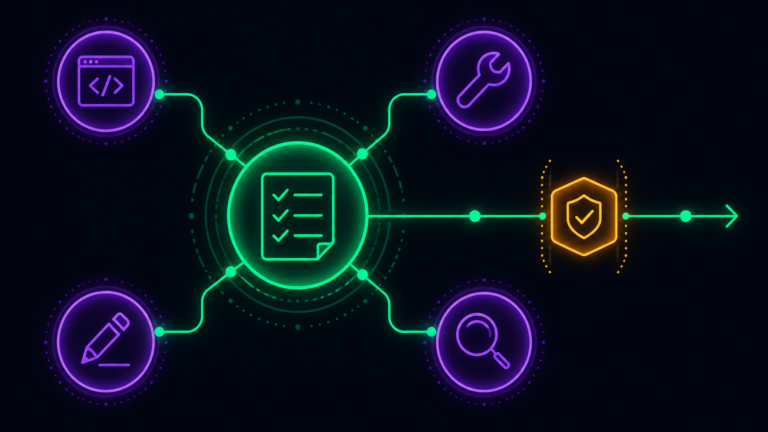
The most useful thing I can say about indie iOS developer tools is that you need far fewer of them than it feels like you do. Xcode to build, Obsidian to think, AI to move faster, Git to not lose work, and a small set of growth tools to get the app in front of people. That covers almost everything, and most of it is free or cheap.
If you are starting out, resist the urge to assemble an impressive stack before you have shipped anything. The tools are not the hard part. Deciding what to build, finishing it, and putting it out there is the hard part, and no tool does that for you. Pick a small set, learn them well, and spend the saved energy on the actual apps.
That is the whole setup behind softDev23 right now. It is not impressive, and it is not supposed to be. It is just enough to keep shipping without getting buried in the tools meant to help.