


I have been testing AI coding tools for a while. I used Antigravity heavily. I set up specialty agents, built knowledge files, and created detailed workflows. And every time I started a new chat, I had to start over.
The agent did not remember who I was. It did not remember my business, my apps, my writing style, or the decision we made last week. Every session was a fresh reset.
That gets annoying and overly exhausting.
So when I heard about Hermes Desktop, an open source desktop app for the Hermes Agent by Nous Research, I was skeptical but curious. A local AI agent that claims to remember context across sessions and learn from experience? I had to try it.
Disclaimer: I am a solo iOS developer building 10 apps in 2026. I am not sponsored by Nous Research. This is my honest experience after installing and using Hermes Desktop for my daily workflow.
Why I Was Looking for a Desktop AI Agent
My setup before Hermes was a collection of browser tabs. I had Antigravity open for coding help, a few specialty agents I built as Gems, the Apple Developer docs in another tab, and my to-do list scattered across notes.
The main problem was context. I would tell one agent about my business, set up a detailed workflow, and spend 20 minutes getting it up to speed. Then I would need to switch topics, start a new chat, and explain everything again.
I kept thinking: there has to be a tool that treats me like a returning user, not a first-time visitor.
That is what made Hermes Desktop interesting. It is not just another AI chat wrapper. It is an agent framework with persistent memory, reusable skills, and the ability to run tasks on your own machine. And it comes in a native macOS app, not just a terminal.
First Impressions: Installing Hermes Desktop
The installation process was surprisingly straightforward. I downloaded the DMG from the official Hermes Desktop site, dragged it to Applications, and dealt with the usual macOS Gatekeeper warning (it is open source, so Apple does not trust it by default). That took about 30 seconds.
Then the real installer launched.
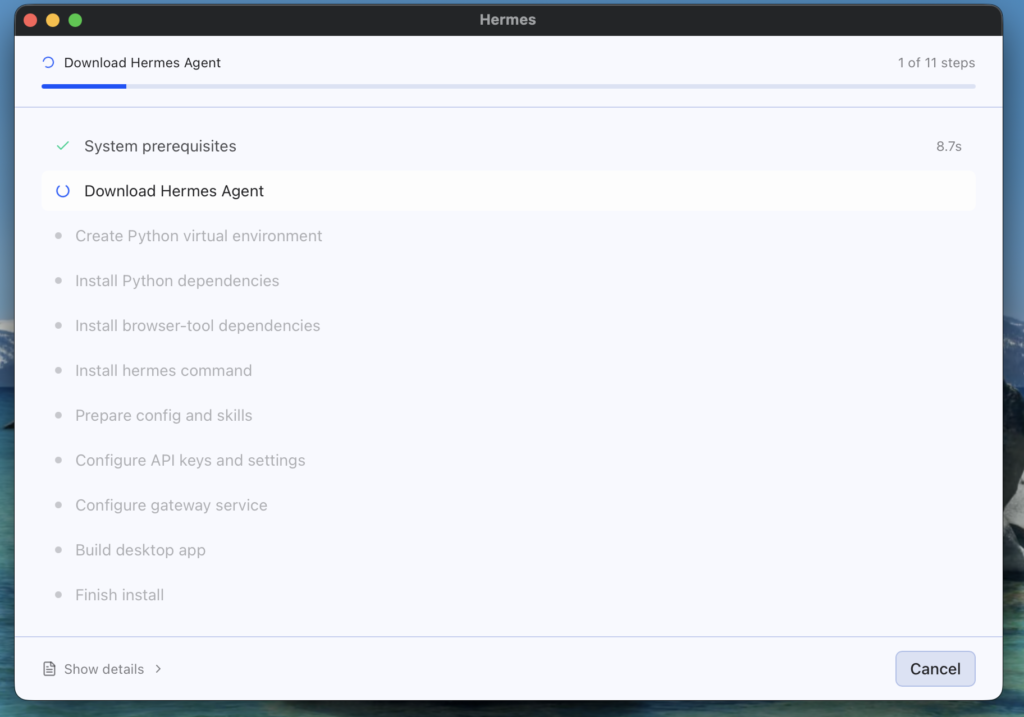
The wizard walks you through 11 steps. The first one, system prerequisites, completed in 8.7 seconds. The rest handled automatically: downloading the agent core, setting up a Python virtual environment, installing dependencies, and building the desktop interface. I did not have to open the terminal at all during the install.
After the installer finished, I was greeted by the setup screen, which asked me to connect to a model provider.
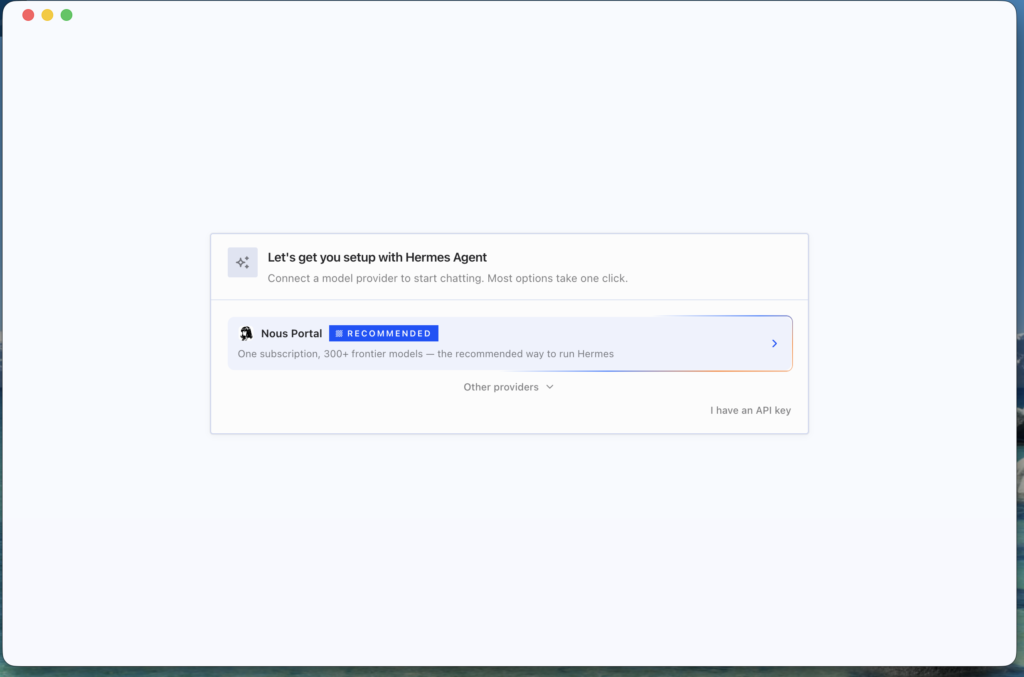
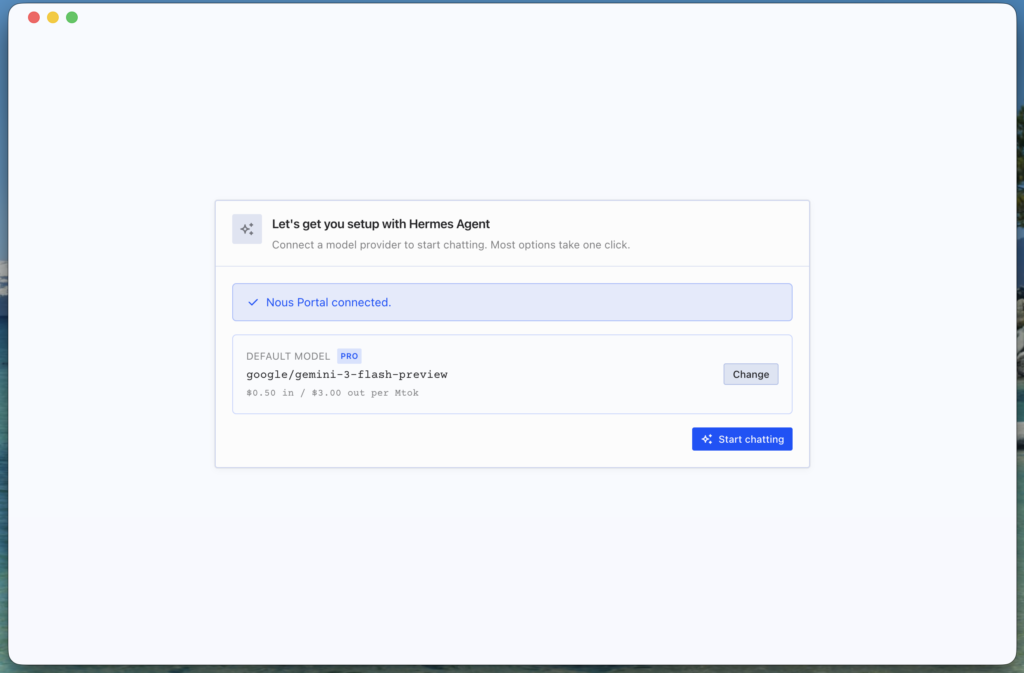
I chose Nous Portal, their built-in service. It took one click to connect. No API keys to paste, no config files to edit. A browser window opened, I logged in, and it linked automatically.
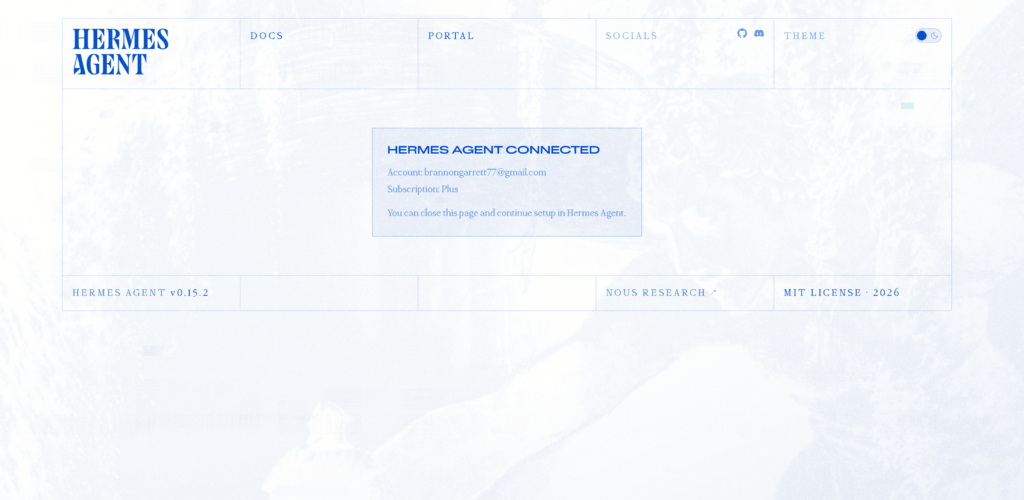
The whole process from download to first chat took about 5 minutes.
What Surprised Me
Memory That Actually Works
The first thing I noticed was that Hermes remembered me. Not just my name, but details about my business, my preferences, the way I like to work. I set up my profile once, and it has persisted across every session since.
This is the feature I did not expect to work this well. I told Hermes I am building 10 iOS apps in 2026 under the brand softDev23. I told Hermes about my background (WordPress developer from 2009 to 2017, sold my website TechU4ria back in 2016, BS in Software Engineering). I told Hermes what country I was living in and how it affects my business, and Hermes committed it all to memory.
Every session since, it remembers. No repeating myself. Well…that’s not actually true!
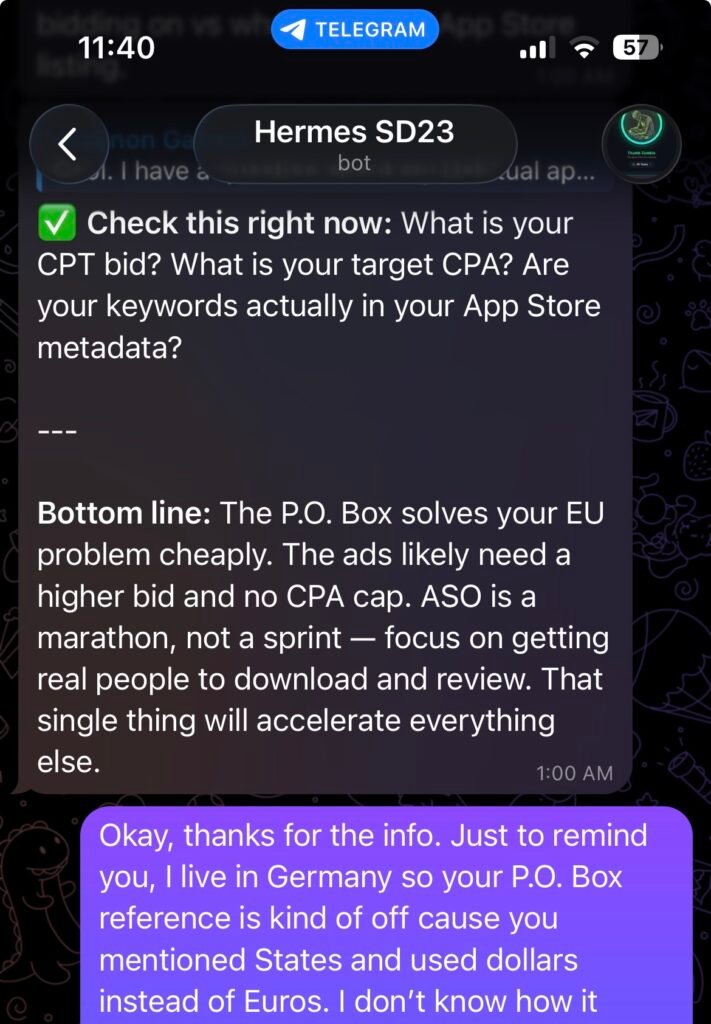
In this screenshot, Hermes had forgotten that I wasn’t living in the United States, even though I had mentioned it multiple times, and Hermes had committed it to memory.
My only conclusion is that it was a separate Telegram session, so maybe Hermes did not have access to its desktop memory at the time.
I’ll definitely have to do more digging into this and figure it out, because in the next screenshot, you will see that my Telegram discussion with Hermes did not automatically carry over to the desktop discussion we started the next day.
Again, Hermes had mentioned that the discussions were separate sessions, and eventually Hermes was able to find what we had discussed on Telegram and continue the conversation on the desktop app.
It was confusing at first, but all this is new, and it may be user error. I still have to spend much more time with Hermes.
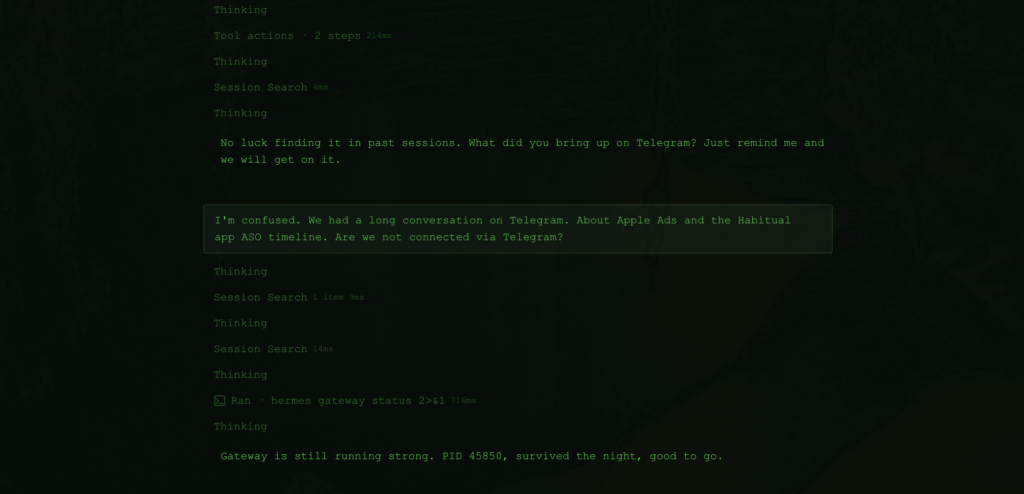
Not everything during my time with Hermes worked out so well. It still forgot things we discussed, and at some point, I just accepted that I needed to spend more time with Hermes. After all, it’s supposed to become better with time.
Skills Are Like Plugins for Your Brain
The skills system is where this gets really useful. You can create reusable workflows that define how the agent should behave for specific tasks.
I built three skills so far:
- An SEO specialist who handles keyword research and on-page optimization
- A brand strategist who reviews drafts against my style guide and catches tone inconsistencies
- A content strategist who plans editorial calendars and campaign funnels
I gave each one the same structure I used for my Antigravity experts: role, core responsibilities, hard rules, required context, and output format. The difference is that in Hermes, these skills persist. They get better over time because I can patch them when I find something missing.
It Integrates With Everything
I use Nous Portal and was going to start with Google Gemini 3 Flash as my default model. It costs $0.50 per million input tokens and $3.00 per million output tokens. That is cheap enough for daily use.
But instead, I switched to DeepSeek v4 Flash just to try out Hermes with a cheaper model.
But Hermes also works with Ollama for fully local models, OpenRouter for maximum model choice, and direct API connections to Anthropic, OpenAI, and others. If you want to run everything on your own hardware with no API costs, that works too.
How I Use Hermes Desktop Daily
I keep it open in a window alongside Xcode. My workflow looks like this:
- App development: I describe a feature I want to build, and it helps with architecture decisions and SwiftUI patterns. It reads my project files, understands the existing codebase, and makes suggestions that fit.
- Project planning: I use it to break down my app roadmap into manageable milestones. It keeps track of what stage each app is in, what needs to ship next, and what I was working on before I got pulled into something else.
- Research: I ask it to verify Apple documentation and API details before I use them. It can search the web and pull up current docs instead of guessing based on training data.
- Task management: I describe what I want to accomplish, and it breaks it down into steps, tracks progress, and remembers where I left off.
The biggest difference from my old setup is continuity. I can pick up where I left off with any project without retreading old ground.
What Could Be Better
No tool is perfect. Here are a few things I noticed:
- Memory has a character limit. The user profile caps out around 1,375 characters. I filled mine up quickly and had to consolidate entries. A higher limit or automatic summarization would help.
- The web research tools work, but I sometimes want deeper access. I asked about setting up MCP servers to provide direct access to Apple Developer documentation. The built-in search tools handle most cases, but for complex API research, more structured access would be nice.
- It is still young. The desktop app was released in June 2026. Some features are evolving fast, and the documentation is catching up. That is expected for an open source project at this stage, but worth noting.
Who Should Try Hermes Desktop
This is not for everyone. Here is who I think would get the most value:
- Solo developers and indie devs who want an AI tool that learns their project context
- Privacy-conscious builders who want to run models locally or control their data
- Developers managing multiple projects who want context to carry over between sessions
- Anyone frustrated with resetting the AI context every session
This might not be for you if you only need occasional Q&A and do not want to set up workflows. The power of Hermes comes from the skills and memory system, which takes some upfront investment.
The Bottom Line
Hermes Desktop is the first AI tool I have used that treats me like a returning user instead of a stranger. The memory, skills, and desktop interface make it a genuine upgrade from browser-based AI tools, at least for the way I work.
If you are a solo developer building something of your own, it is worth the 5-minute install to see if it clicks for you. I am keeping it as my daily driver.
I write about building iOS apps, gamification, and indie dev tools on this blog. If you want to follow along, join the softDev23 newsletter. No spam, just honest building in public.